
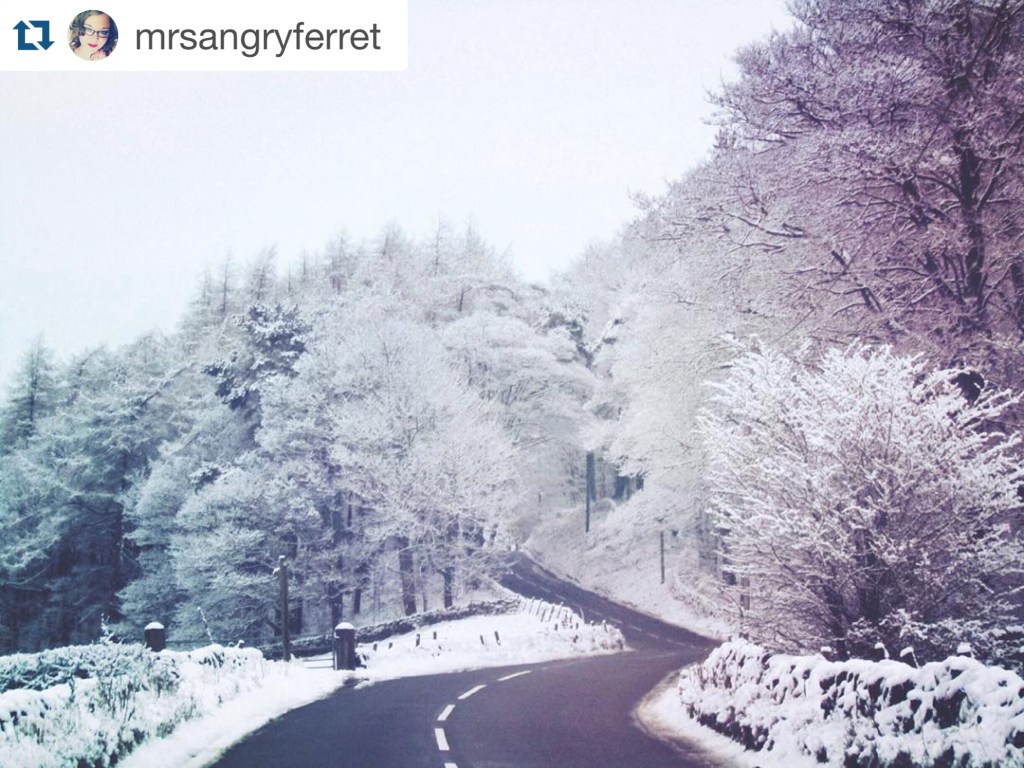
It’s that time again! Welcome to the latest installment of the Mextures Artist Feature series! Today’s article features Instagram user and artist @mrsangryferret (Jemma), a photographer/Mextures artist that I’ve only just discovered but am already a huge fan of. Mainly fueled by nature, Jemma’s gallery has a little bit of everything – a treasure trove of beautiful imagery and sweet Mextures edits from skies to landscapes to cows (we all know my love for all things bovine!) to architecture. I hope you’ll enjoy getting to know @mrsangryferret via our chat, and enjoy her images as much as all of those who follow her work do. As always, thank you for visiting and supporting these features, artists, and blogs!
Getting to Know @mrsangryferret
Hello, @mrsangryferret! Could you tell us who you are and what you do?
I’m Jemma, aka @mrsangryferret. I’m 31, from Staffordshire, UK. I have a passion for photography and enjoy spending my spare time in nature.
Ahhh, nature. YES! Why photography?
I’m very creative and I’m always finding new ways to unleash that. I enjoy photography the most. Capturing a snapshot of something I find beautiful even if that’s not in the traditional sense. I tend to find beauty everywhere.
How did you get involved with Instagram/Mextures?
I started on Instagram just uploading normal, boring photos and left for a few years. During these years I took thousands of photos but never had anywhere to share them. Then I remembered Instagram and found the nature communities, and it went from there. I discovered Mextures by accident in the App Store. I thought it sounded great so I bought it and then found the #Mextures hashtag and discovered so many beautiful edits and photographs. It was really inspiring to me.
I think that’s my favorite question – I love learning how others came to the IG communities and Mextures! Why do you do Instagram/photography?
I love capturing a moment frozen in time. It’s a form of meditation for me. Nothing else matters while I’m shooting, surrounded by nature. It’s like therapy! I enjoy the whole process from start to finish. I look forward to getting home and starting to process the photos and doing my edits. It’s a really good anxiety and stress reliever for me.
What’s your background in photography?
I have always had an interest in photography since I was a child. I really got started in 2015 when I started to establish my Instagram page. I am self taught. I just take photos of what I think looks nice. I don’t really follow any set rules. I’m just passionate about it.
How has your practice changed over time?
When I first started with Mextures, I struggled. It took me a while to get used to it, I’ll be honest. But with lots of trial and error, I think I have the hang of it. Although I have only recently found the blends button! I sometimes like to look back over my old pictures and see just how much I have grown and developed my own style.
Oh yes, it’s always so interesting to do that – I find that I see not only my photography and style growing and changing, but also myself as a human being. What work do you most enjoy doing?
I really love doing dramatic and dark scenes. But I truly enjoy all of what I do. Sometimes I may be in a dreamy mood and will create a dreamscape. Other times I may make dark and sombre work. I let my mood and emotions control my art.
I think that’s very much a part of the therapy of the process. What specific themes do you tend to pursue?
I mainly like to photograph nature but I enjoy other subjects and have started branching out into new things that I find beautiful or good to shoot. I like lots of types of architecture and have started to photograph it more.
From my point of view, it takes a lot of courage to branch out. I LOVE street photography and architecture and have tried off and on to shoot it but find that it’s just not something I’m good at so I run away from it and back to “what I’m good at.” I think you’ve inspired me to give it a go again. What inspires you?
I am massively inspired by music. When I’m processing and editing my photos I love to listen to all different genres of music. Again, that depends on my mood and will be reflected in my finished work. Sometimes a lyric can inspire me, sometimes I may use a song title for my work because I feel it captures the mood.
We are massively alike in that way! I am listening to Deftones as I am writing this up. What do you dislike about your work?
I am highly critical of myself and my work and often struggle with anxiety and confidence in posting my work but it’s something I work hard on to be better everyday.
What do you like about your work?
I like the creative release I get. I like being in my own little art bubble. Hours can feel like minutes. I can put my music on and start editing photos and the troubles in the world disappear for a little while. I do like that I have taken photos and captured scenes I could only ever dream of taking, and this is just the beginning. I can’t wait to see where my journey will take me.
Do you have any professional goals?
I’m really enjoying growing and learning! I don’t really have any professional goals – I just know that I enjoy what I do and can’t wait to see where this journey takes me. It would be great to be paid to do what I love though!
What is your dream project?
I would love to photograph the northern lights. It’s always been a dream of mine to see the aurora. Hopefully one day it will happen!
That’s something that is on my bucket list, as well. I can’t imagine the beauty of it in person…but I, too, hope to someday see the aurora in person and photograph it. What is your favorite or most inspirational place?
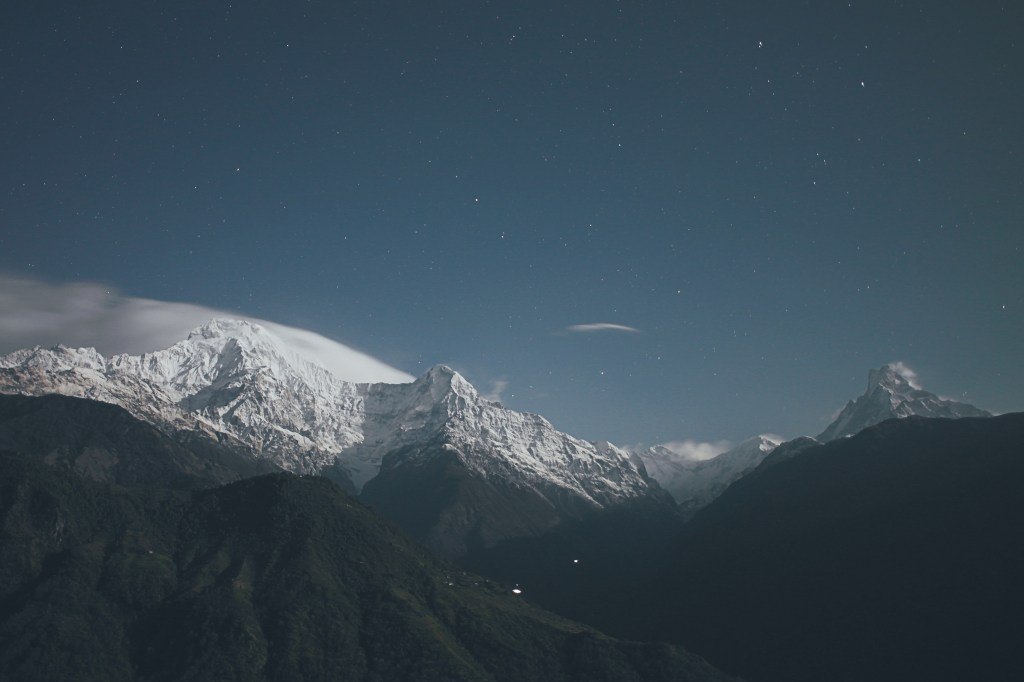
It’s a place that features regularly in my Instagram gallery. It’s a very high point in my city that is known locally as Chesire View. There’s a little drive in lay by that gives breathtaking views over the English countryside. Watching a stunning summer sun setting on the horizon is a favorite thing of mine to do, and on a clear night you can see the Milky Way. It’s just a beautiful, inspiring place for me.
That is wonderful! What is something that you love, and why?
I love nature! It’s full of color, beauty, textures… Life and death. The beautiful cycle of the seasons. I’m such a hippy chick at heart. Nature is my nome. I’m happy there.
Ditto. I totally get that. Regarding your art, specifically, what’s something you couldn’t do without?
This is the perfect time for me to say my followers and various hubs on Instagram. I have had so much support and encouragement. It’s such a huge boost when your work is well received. It’s often a shock and I’m so grateful for all of their amazing support. Each and every like, comment, and/or follow and feature…it’s all amazing to me and when I started I never in my wildest dreams thought this would have happened.
Instagram is probably the best art community I’ve ever been a part of for that reason. My first art community was deviantART and it was such a hard community – there was a fair share of positivity and support but there was SO MUCH drama. The same has been true of other art communities I’ve been a part of. But Instagram is somehow different – I have had only a handful of those not so pleasant experiences on Instagram and 99% of my experience has been exactly as you described. That is precisely why I wanted to start doing these feature blogs – I just wanted so badly to give back to the community and to all the wonderful people and artists that have been so encouraging and inspiring to myself and so many others.
On that note of gratitude, I want to thank you so much for being a part of this adventure here on the blog and for taking the time to chat and answer these questions! Wishing you much growth and success in your art and in your life as you continue on your beautiful photography journey, Jemma (@mrsangryferret)!
Sampling of Jemma’s Mextures Formulas
WINDCHILL – NKACBTG
TRUEBLOOD – BHEXRTW
PRISM – EVADTUV
SNOWJOKE – HKFJQYH
BEYOND – KZBLYCS
Art from the Instagram Gallery of @mrsangryferret
















 catacosmosis